Skip to content
Solutions

For marketing agencies

The URL shortener for marketing agencies

SwiftURL is a URL shortener for marketing agencies that keeps every client separate. Each client gets its own organization with its own branded domain, links, members and analytics, and your team works across all of them with roles that match the job.

For agencies and freelancers who run links, campaigns and reports for several clients.

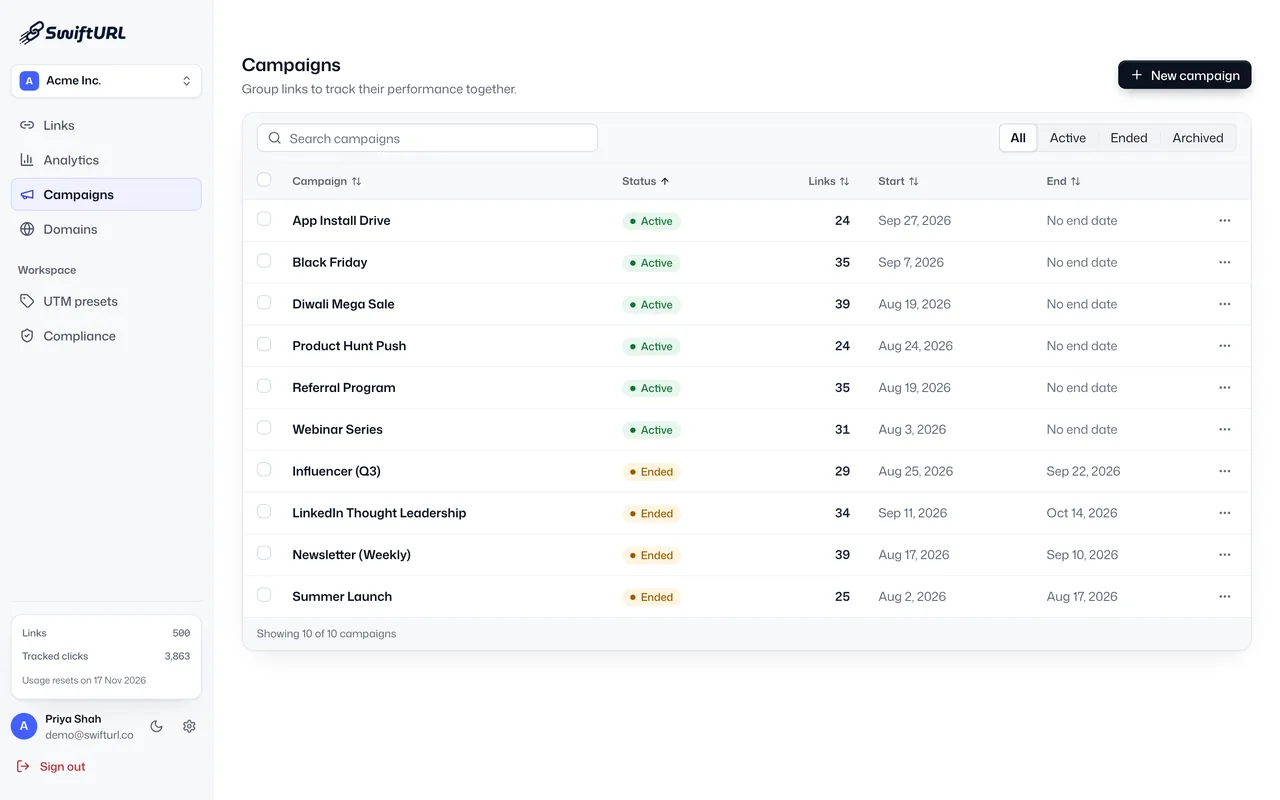
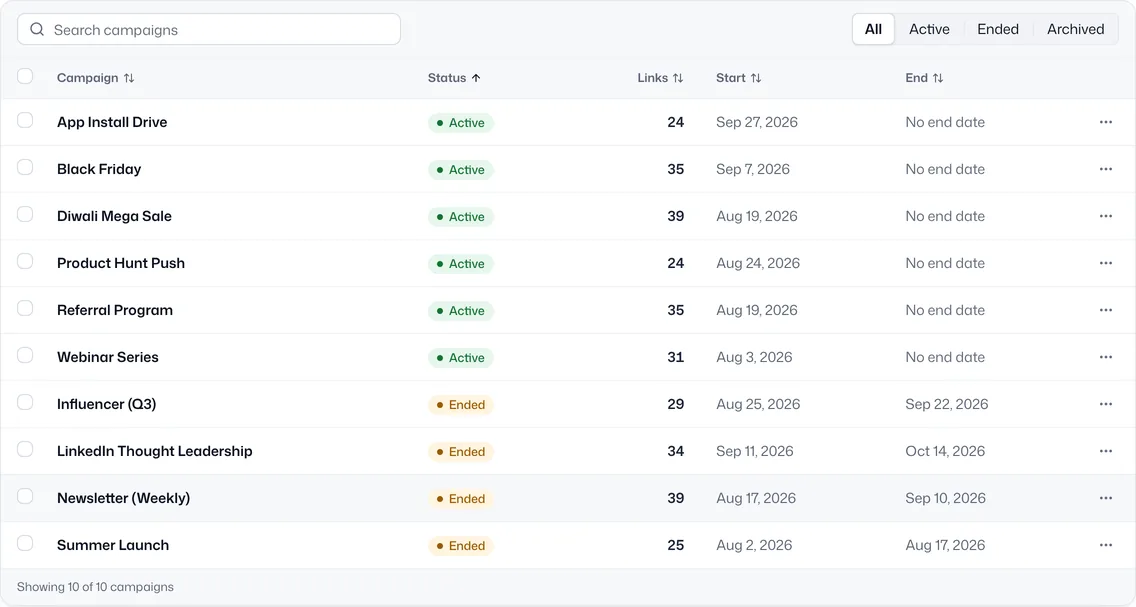
The SwiftURL Campaigns screen: campaigns such as App Install Drive, Black Friday, Referral Program and Webinar Series with their status, link count, start and end dates.
SwiftURL campaigns such as App Install Drive, Black Friday and Referral Program with their status, link count, start and end dates.

What do agencies need from a URL shortener?

An agency link tool has to keep clients apart, put each client's name on its links, control who can change what, and make reporting quick. Here is how SwiftURL handles the five problems agencies raise most.

Client data gets mixed together

Give every client its own organization, each with its own domains, links, members and analytics. You switch between clients in one click, and nothing leaks from one to the next. Business holds up to 10 client organizations. See team and multi-org.
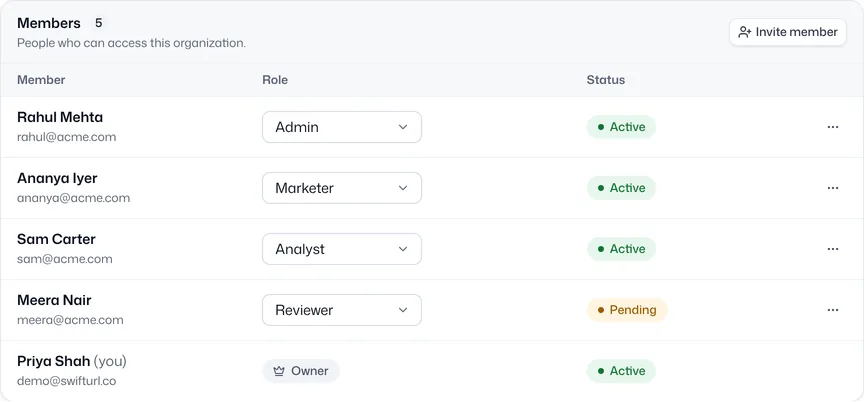
The Members table of one client organization in SwiftURL: Rahul Mehta as Admin, Ananya Iyer as Marketer, Sam Carter as Analyst, Meera Nair as Reviewer with a pending invite, and Priya Shah as Owner.

Clients want their own name on the link

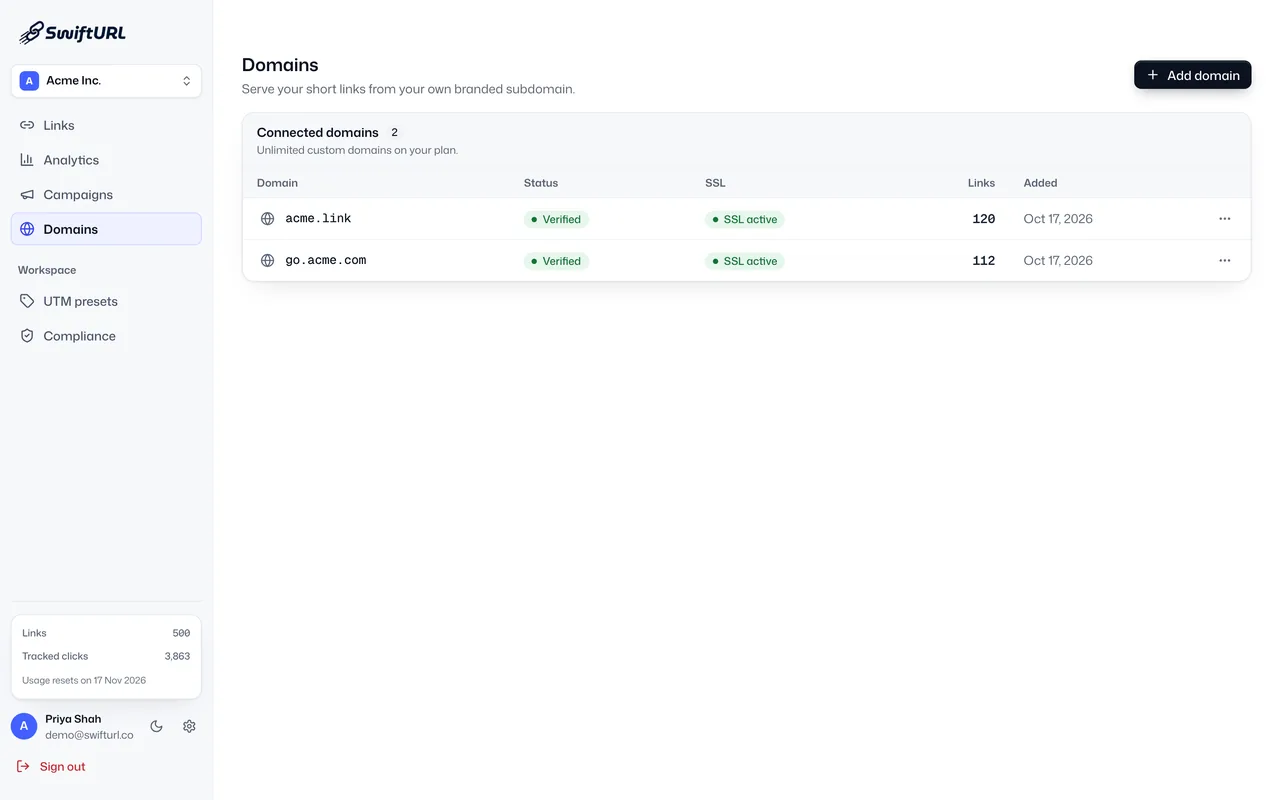
Connect each client's branded short domain, like go.clientbrand.com, inside that client's organization. SSL is provisioned and renewed for you, and recipients see the client's domain, never a generic shortener. Business includes 25 custom domains. See custom domains and the branded short domain setup guide.

The SwiftURL Domains screen for a client organization: acme.link and go.acme.com, both verified with SSL active, and the number of links each one serves.

Too many people touching too many accounts

Invite your team and your clients with one of seven roles: Owner, Admin, Developer, Marketer, Analyst, Reviewer or Read only (team roles are on Business and up). Every edit, role change and blocked link lands in a tamper-evident audit log you can filter and export, so you can always answer "who changed this?".

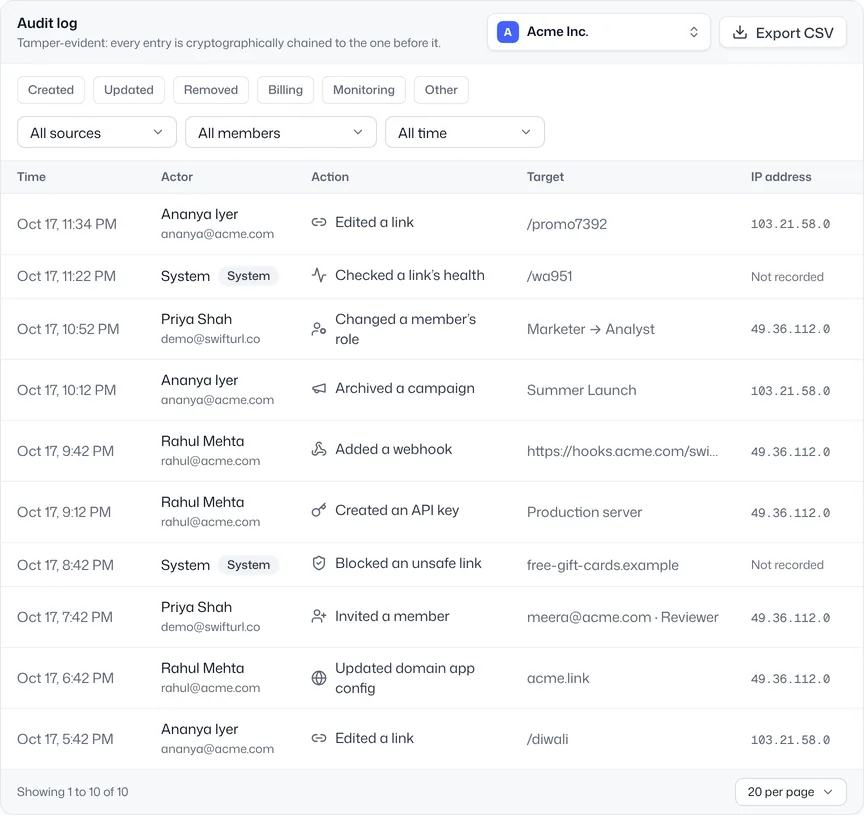
The SwiftURL audit log: timestamped entries such as Edited a link, Changed a member role from Marketer to Analyst, Archived a campaign and Blocked an unsafe link, each with the actor and IP address.

Reporting eats the end of every month

Group each client's links into campaigns and read clicks, unique visitors, country, device, referrer and UTM per campaign, with bot traffic filtered out and AI Insights that highlight what changed. Export to CSV, or send weekly and monthly email digests on Pro and up. See campaigns and analytics.

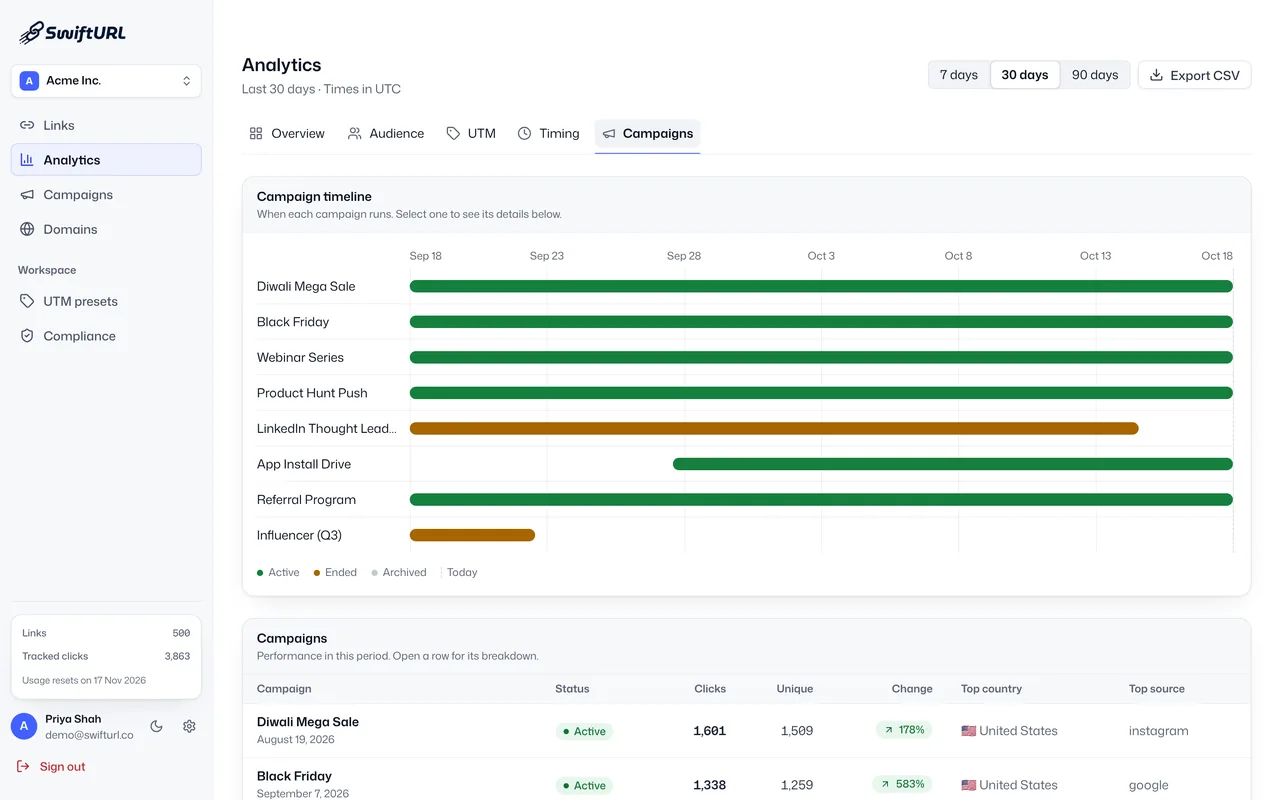
SwiftURL campaign analytics: a timeline of campaigns such as Black Friday, Webinar Series and Referral Program, and a table of clicks, unique visitors, change, top country and top source per campaign.

Launches that need hundreds of links at once

Import a CSV of up to 100 rows per file and SwiftURL creates every link in one pass, each one safety-checked before it goes live. Saved UTM presets keep tagging consistent across the whole team. See bulk import and UTM presets.

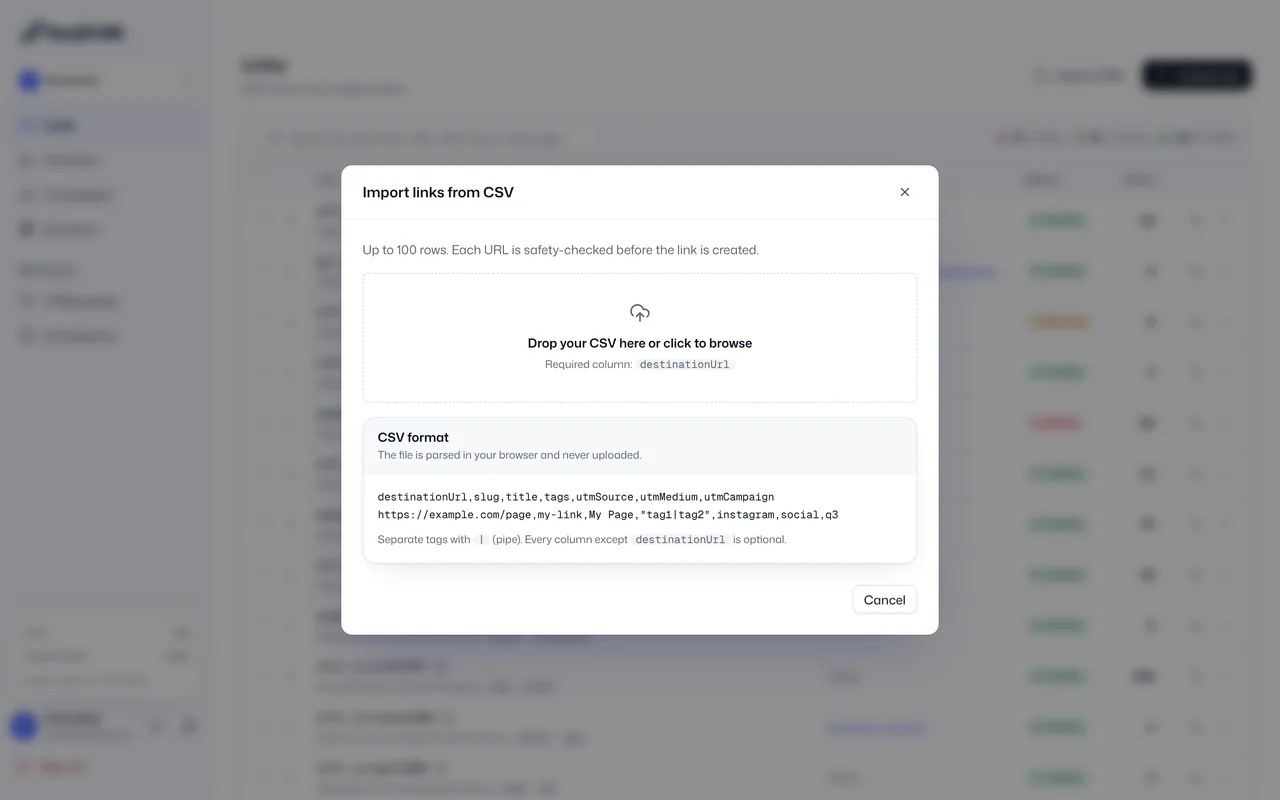
The SwiftURL Import links from CSV dialog: drop a CSV with a destinationUrl column, and each URL is safety-checked before its link is created.

What else does every client workspace include?

Safety checks on every link
Destinations are checked against Google Web Risk, shortener chains and private IPs before a client link goes live, on every plan. See security.
Link health alerts
Scheduled checks flag a client link whose destination breaks, before the client notices. See link health.
API and webhooks
Create links from your own tools with the REST API (Pro and up) and get HMAC-signed webhooks on Business. See the API reference.

Which SwiftURL plan fits an agency?

Most agencies start on Pro and move to Business as the client list grows. Every plan includes safety checks and the audit log.

Pro

$18 /mo

or $15/mo billed yearly

A freelancer or small agency with a couple of clients.

  • 2 client organizations
  • 5 team members
  • 3 custom domains with SSL
  • 5,000 active links

BusinessBest fit

$49 /mo

or $39/mo billed yearly

An agency running links for a roster of clients.

  • 10 client organizations
  • 25 team members with roles
  • 25 custom domains
  • Webhooks and priority support

Enterprise

Custom

A large agency or network with many brands.

  • Unlimited organizations and domains
  • Unlimited links and clicks
  • DPA and SLA
  • Dedicated support

Compare every limit on the pricing page, or talk to sales@swifturl.co about volume.

Frequently asked questions

What should a marketing agency look for in a URL shortener?

Separation between clients, a branded domain per client, roles for your team, campaign reporting you can hand to a client, and bulk creation for big launches. SwiftURL covers each of these with organizations, custom domains, seven roles, campaign analytics and CSV import.

Can each client have its own branded short domain?

Yes. On paid plans you connect a domain or subdomain inside each client's organization, and SSL is handled automatically. Pro includes 3 custom domains, Business 25 and Enterprise unlimited.

How do I keep client links and data separate?

Create one organization per client. Each organization has its own domains, links, members, campaigns and analytics, and switching between them never mixes data.

Can my clients see their own reports?

Yes. Invite a client contact into their own organization with a role such as Analyst or Read only, export campaign data to CSV, or send weekly and monthly email digests.

Do the links look white-label to recipients?

The short link runs on the client's own domain with SSL, so recipients see the client's brand in the link, not SwiftURL's. The dashboard your team uses is the SwiftURL app.

How many clients can I manage on one account?

Pro includes 2 organizations, Business 10 and Enterprise unlimited. See the pricing page for every limit.

Give every client a link they can call their own.

Start free, add your first client organization and connect their domain in minutes. No credit card required.