The columns a row can carry
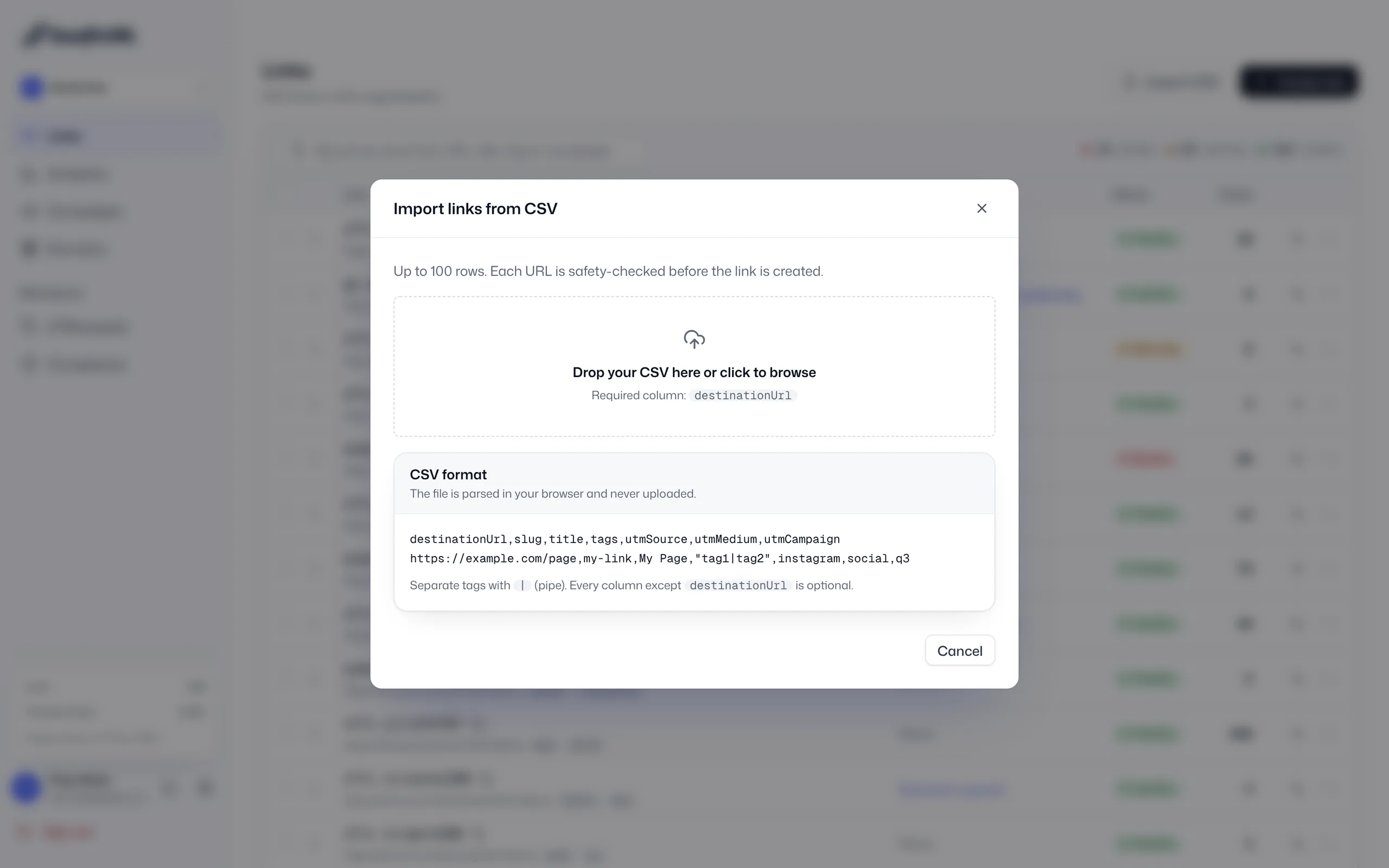
destinationUrl is the only required column. Add slug, title, tags, utmSource, utmMedium and utmCampaign to control each link.
Bulk link import
Bulk link import creates many short links from one CSV file. Upload up to 100 rows per file, and SwiftURL safety-checks every destination before its link goes live, ready for a migration, a product catalog or a bulk SMS or WhatsApp send.
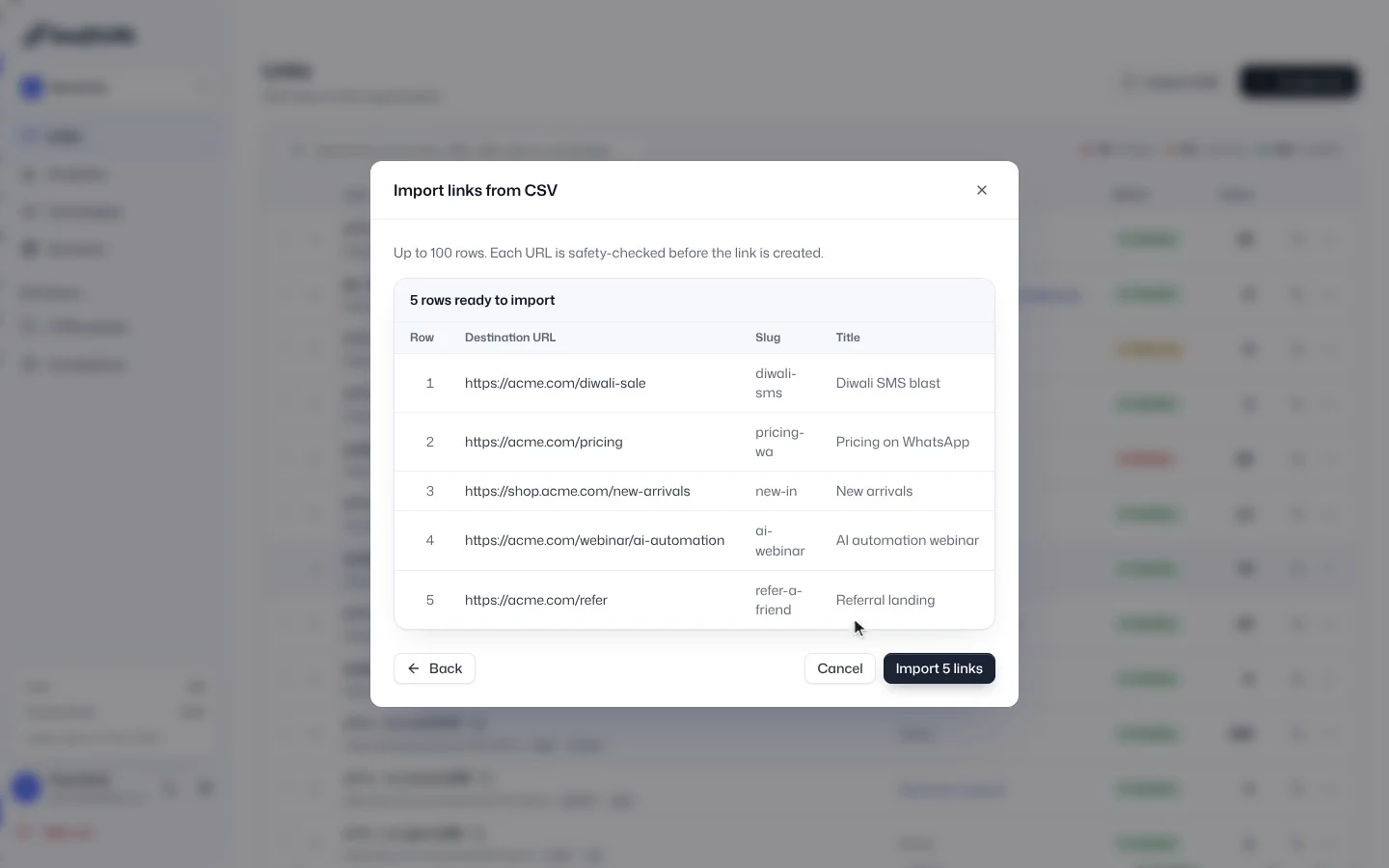
Bulk import in SwiftURL: the Import CSV dialog opens on the Links page, a five-row CSV is dropped in, and the preview lists each destination, slug and title ready to import.
One row is one link. Migrating from another shortener or launching a big push, you upload destination URLs with optional slugs, titles, tags and UTM values, and SwiftURL builds them all, running the same safety checks it runs on every link.
destinationUrl is the only required column. Add slug, title, tags, utmSource, utmMedium and utmCampaign to control each link.
Every imported link is checked against Google Web Risk for malware and phishing, plus the adult content filter, private IP and shortener-chain blocks and a reachability check, exactly like a link you create by hand.
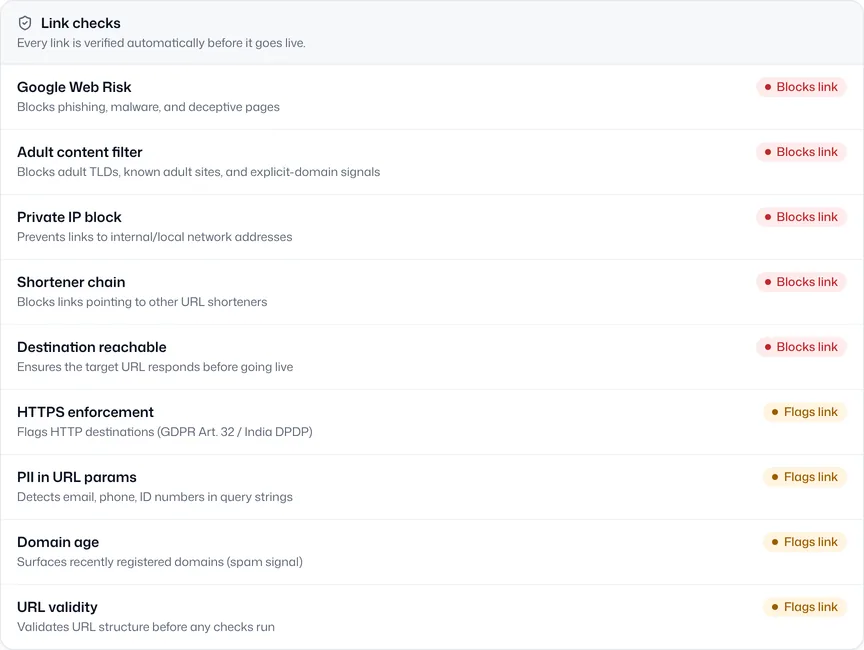
Review a summary of created links and any rows that need attention. Valid rows go live, and flagged rows can be fixed and re-imported.
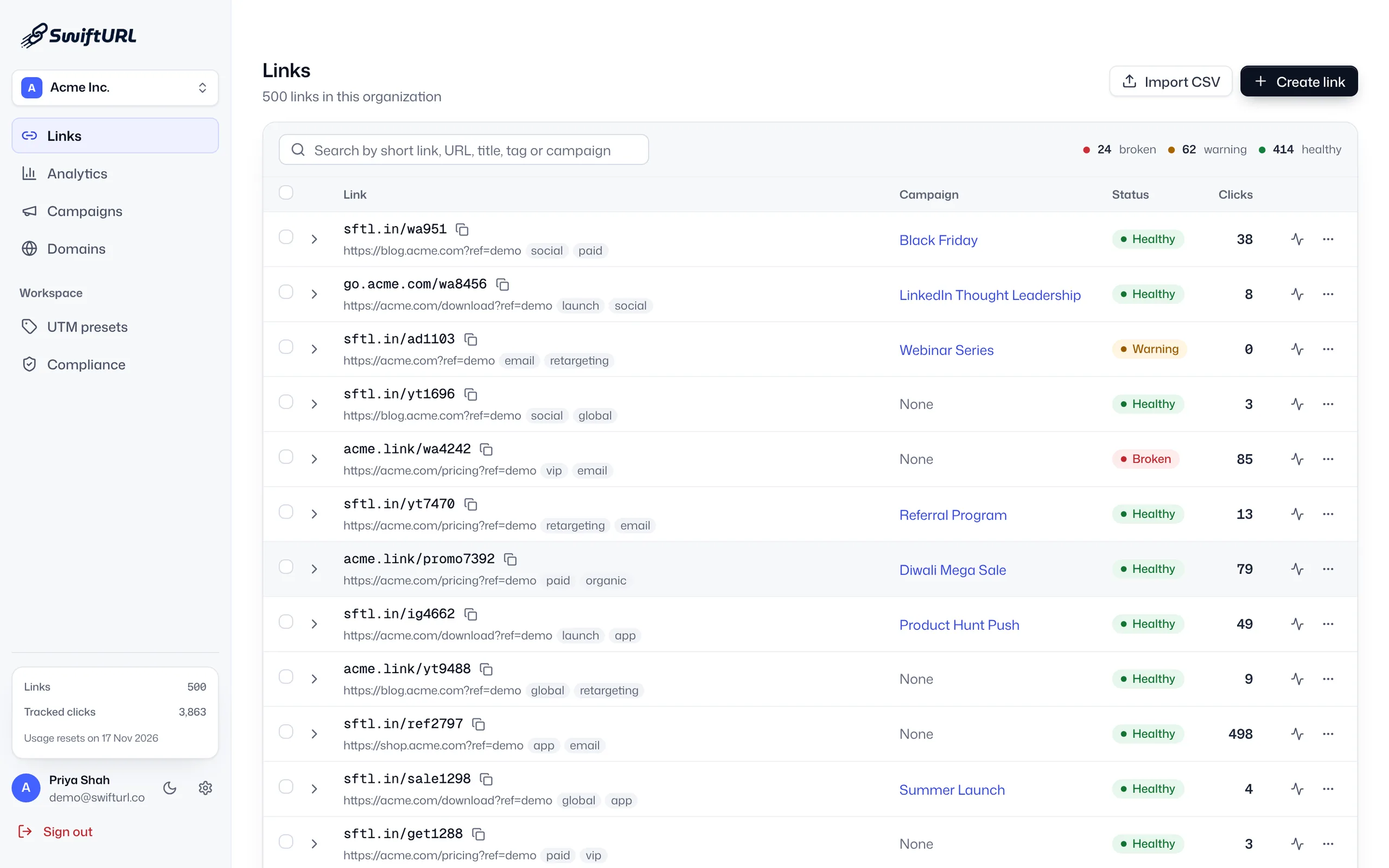
One row per link, with a destination URL and any optional fields.
Drop the CSV into the import dialog, up to 100 rows per file.
Each link is safety-checked, then created in bulk.
See what was created and fix any flagged rows.
Create 100 links in one upload instead of one by one.
Bulk doesn't mean skipping checks; every link is screened.
Consistent slugs and tags from the very start.
Up to 100 rows per CSV file, and you can upload as many files as you need. Imported links count toward your plan’s active links: 100 on Free, 5,000 on Pro and 50,000 on Business.
Only destinationUrl is required. Optional columns are slug, title, tags, utmSource, utmMedium and utmCampaign, so each link can carry its own short path, name, tags and UTM values.
Yes. Every row goes through the same checks as a link you create by hand: Google Web Risk, the adult content filter, private IP and shortener-chain blocks, and a check that the destination is reachable.
Valid rows are created and go live. Rows that fail validation or a safety check are listed with the reason, so you can fix them and import just those rows again.
Yes. Export your old links to a CSV with their destinations, or paste long-form Firebase Dynamic Links into the free FDL converter, which produces a CSV shaped for this import. SwiftURL creates new short links for those destinations on your domain.
Yes. CSV import is on every plan, Free included, within your plan’s active-link limit.
Group links into campaigns with rolled-up analytics and a clean active → ended → archived lifecycle.
Learn moreA built-in UTM builder with saved presets, so your whole team tags links the same way.
Learn moreServe short links from a domain you control, with SSL provisioned automatically.
Learn moreStart free and bring your existing links with you.