A health status on every link
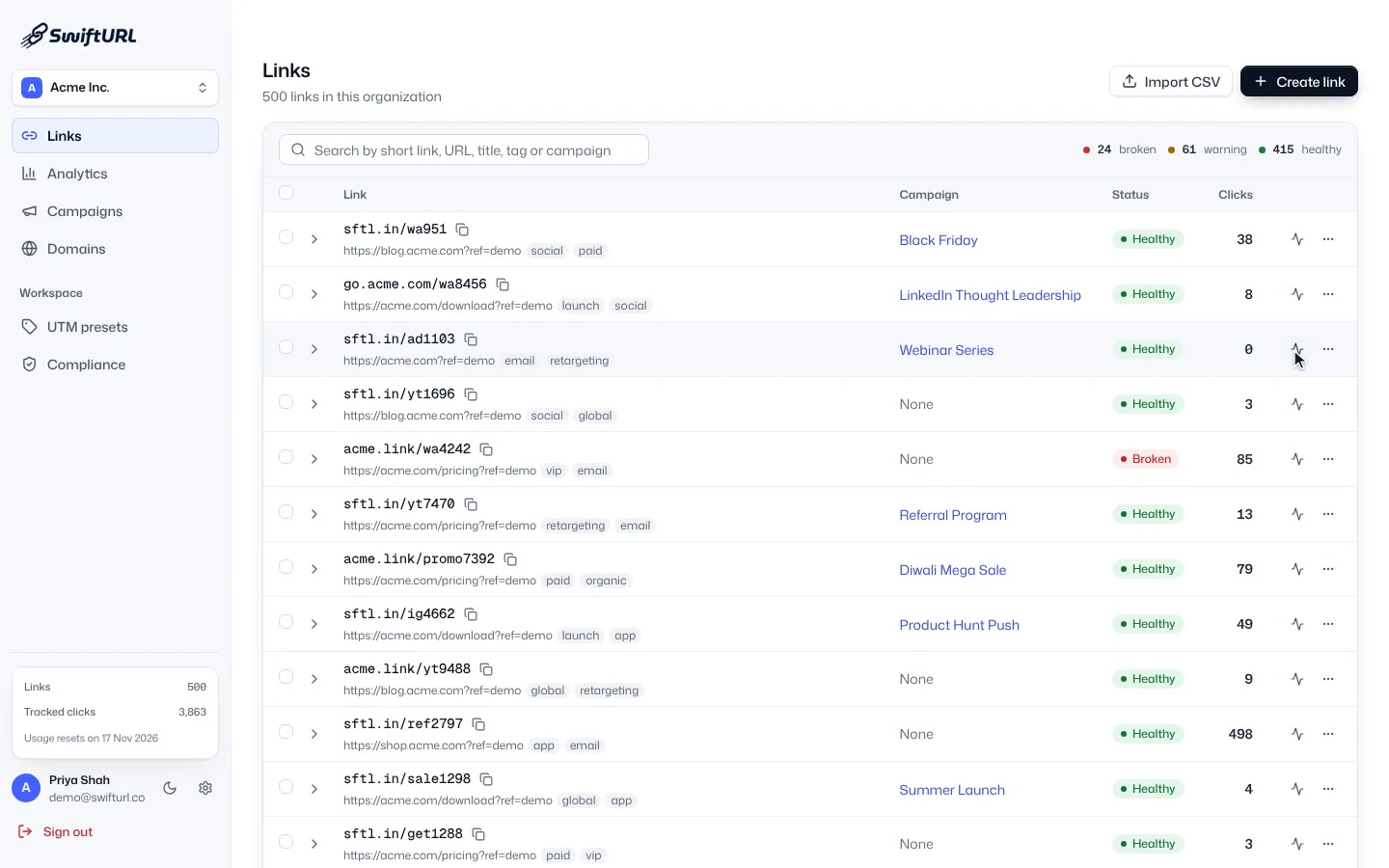
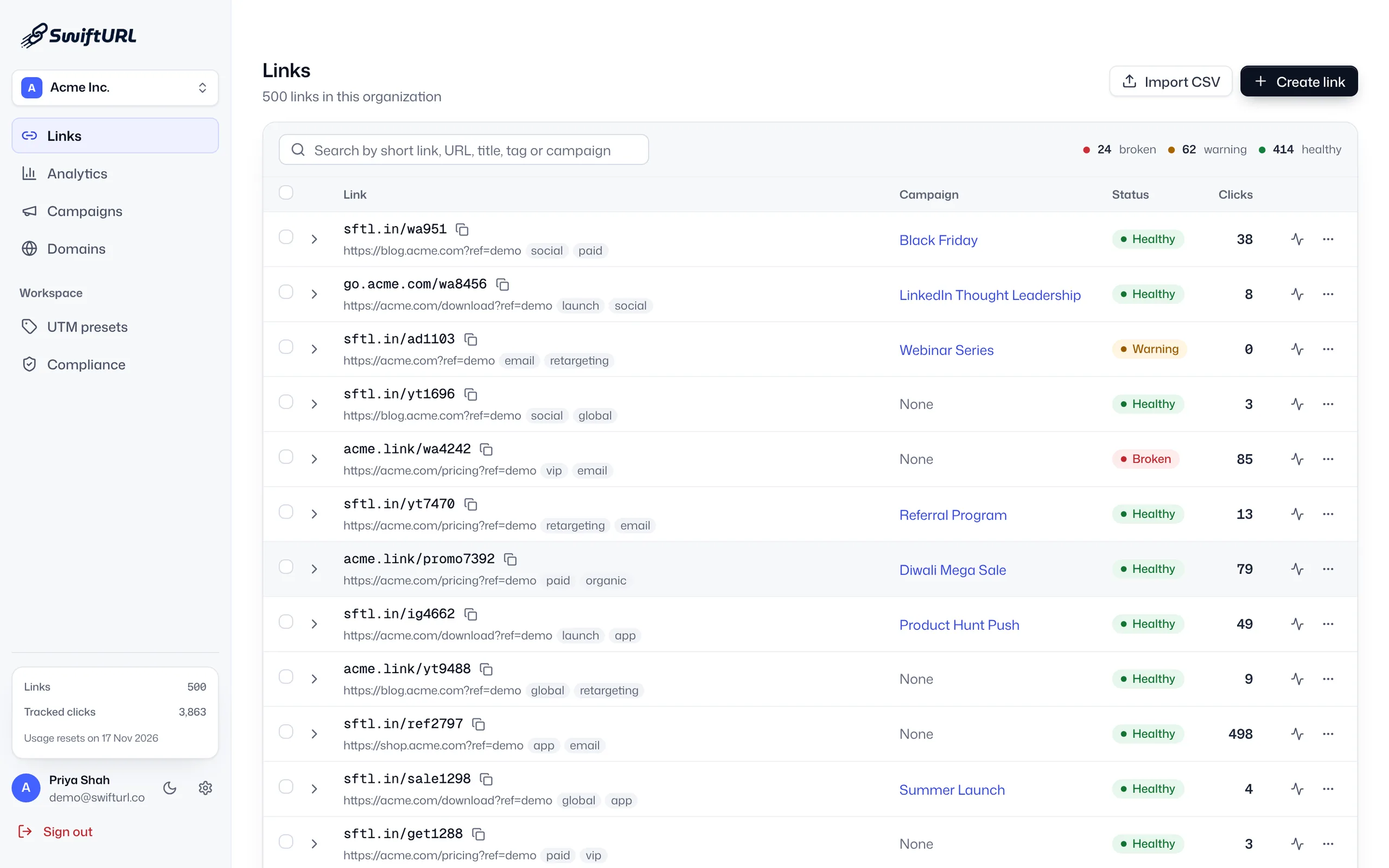
Scheduled probes check each destination, and every link shows whether it is healthy, needs a look or is broken. The totals sit at the top of your links list.
Link health
Link health monitoring checks where your short links point and tells you when a destination breaks. SwiftURL re-checks destinations on a schedule, marks each link healthy, warning or broken, and emails owners and admins after two failed checks in a row, then again when it recovers.
SwiftURL monitors every destination: the Links list shows broken, warning and healthy counts and a status label per link, and a click on Check link health re-checks a flagged link, which comes back Healthy.
A dead link is a lost customer and a dent in your credibility. SwiftURL runs scheduled health checks against your destinations and sends a downtime alert once a destination fails twice in a row, so you can fix it fast. Run an on-demand check any time.
Scheduled probes check each destination, and every link shows whether it is healthy, needs a look or is broken. The totals sit at the top of your links list.
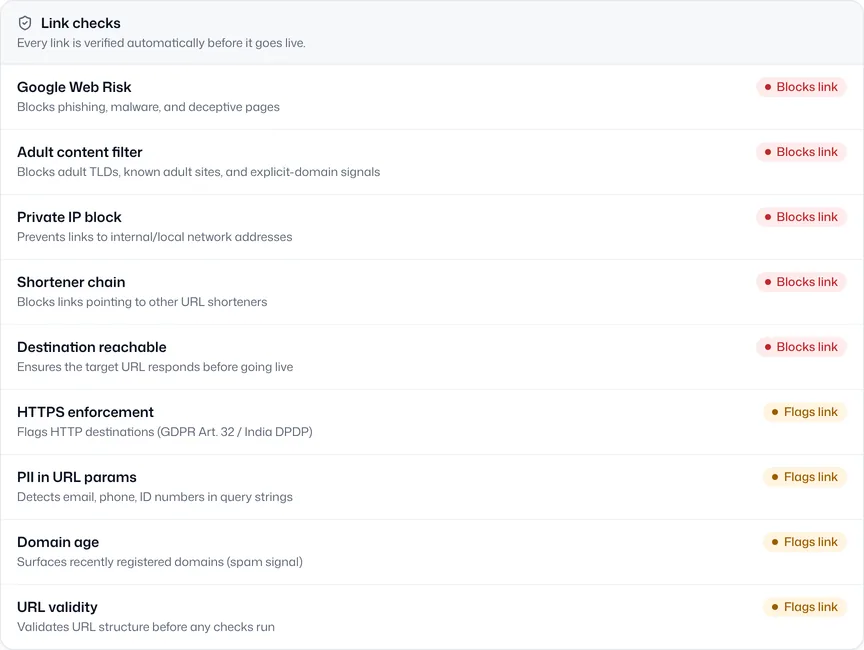
Before a link is created, SwiftURL confirms the destination responds, alongside the other link checks. Scheduled probes keep checking it after that.
SwiftURL checks your destinations regularly.
If a destination stops responding, the link is marked broken.
After a second failed check, owners and admins receive a downtime email.
Update the link and re-check on demand.
Catch broken links before customers do.
Alerts come to you, with no manual checking.
Healthy, warning or broken, on every row of your links list.
Scheduled checks that request each short link’s destination and record whether it is healthy, needs a look or is broken, so you find a dead page before your audience does.
After two failed checks in a row, owners and admins get an email, so a single blip such as a deploy or a timeout does not wake anyone. When the destination recovers, a second email says it is back up.
A warning is not a failure. A response like 403 often means the site blocks automated checks rather than being broken for people, so SwiftURL flags it for a look instead of sending a downtime alert.
Scheduled monitoring and downtime alerts are included from the Pro plan. An on-demand check of any link works on every plan.
Yes. When a link is created, SwiftURL confirms the destination is reachable, alongside Google Web Risk and the other link checks. Monitoring then keeps checking it after launch.
Geography, device, referrer and UTM, bot-filtered, with growth insights that surface what changed.
Learn moreServe short links from a domain you control, with SSL provisioned automatically.
Learn moreRole-based access and separate organizations, so clients or business units stay fully separated.
Learn moreStart free and let SwiftURL watch your links for you.