Every breakdown, with bots left out
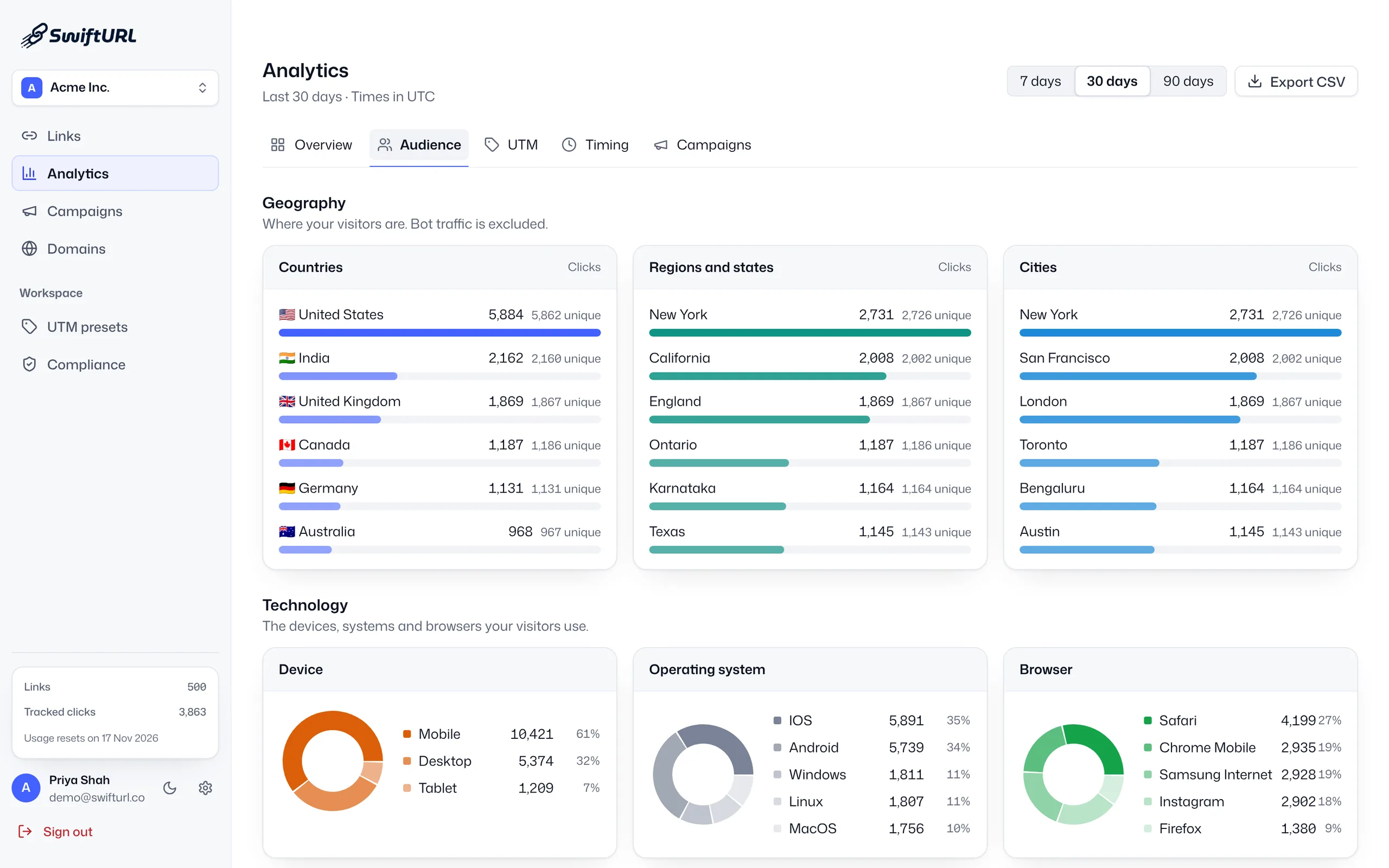
Geography, device, browser, referrer and UTM breakdowns show who clicked, from where, on what and how they got there. Bot traffic is excluded from every count.
Short link analytics with AI Insights
Short link analytics is the click data behind every link you share. SwiftURL counts clicks and unique visitors, filters bot traffic out, and breaks results down by country, device, referrer, UTM, campaign and time of day, with AI Insights that highlight what changed. It is on every plan, Free included.
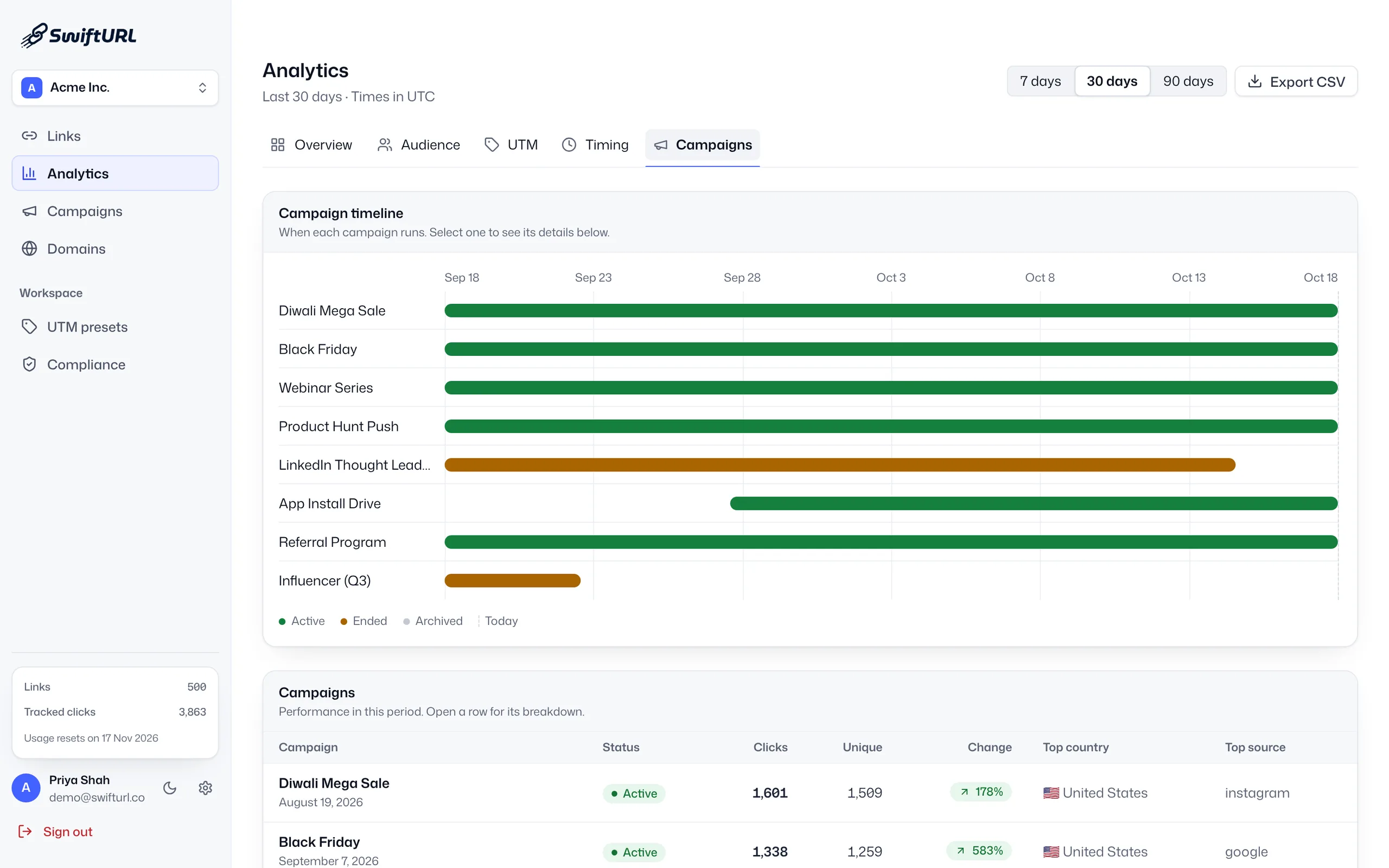
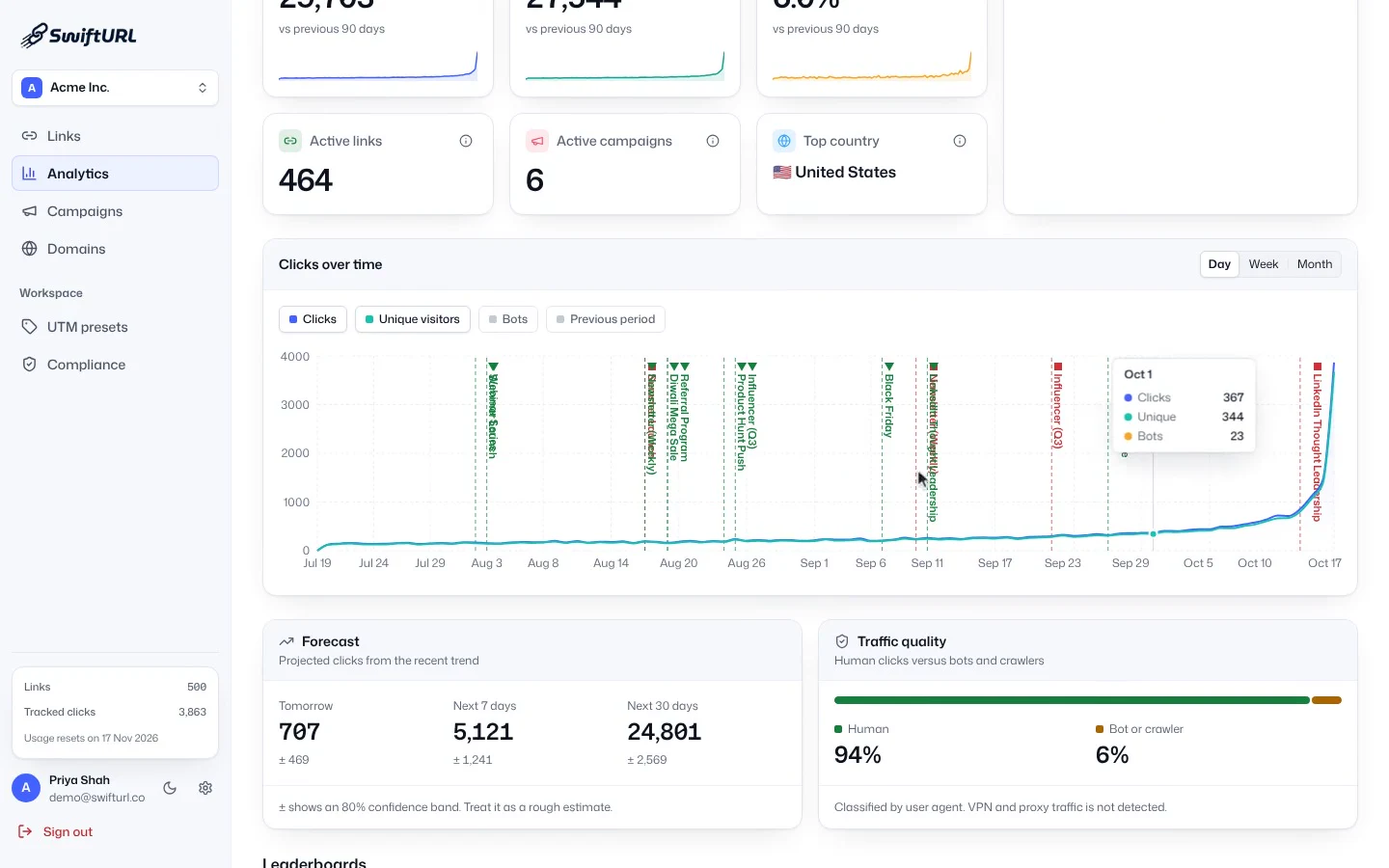
The SwiftURL Analytics overview: the date range switches between 7, 30 and 90 days, a hover on the clicks-over-time chart reveals the daily tooltip, and the Timing tab shows when clicks happen.
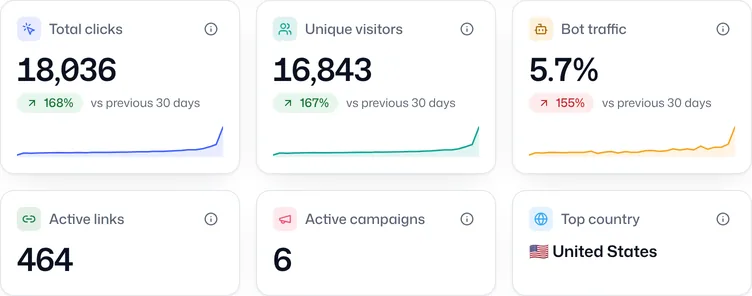
Every click records where it came from (country, region and city), what it was on (device, browser and OS), how it arrived (referrer, UTM and campaign) and when (shown in your workspace timezone). Bots are filtered out, so the numbers you act on are people.
Geography, device, browser, referrer and UTM breakdowns show who clicked, from where, on what and how they got there. Bot traffic is excluded from every count.
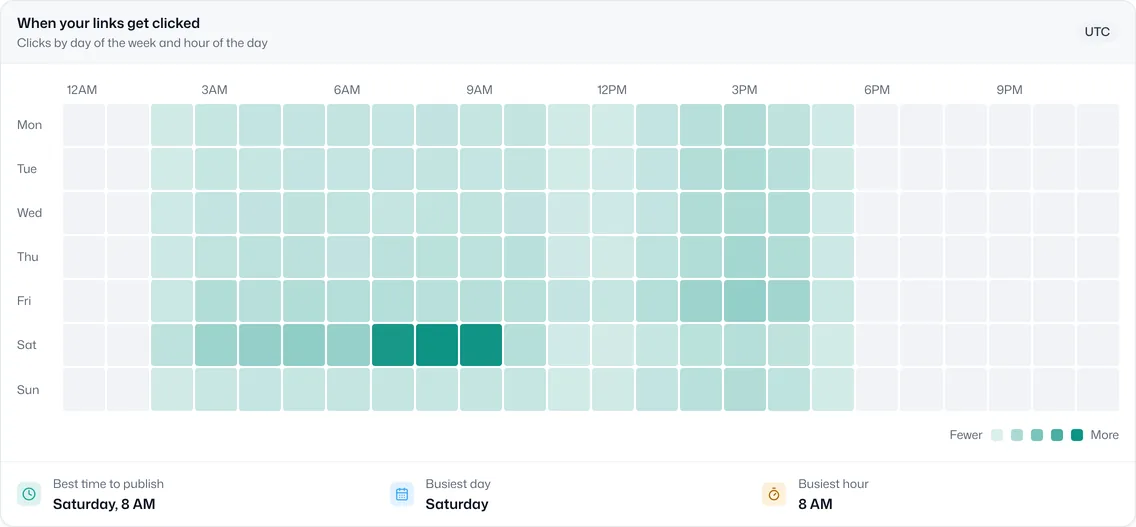
Unique visitors with bot detection, plus timezone-correct time-of-day and weekday views that show the best time to publish.
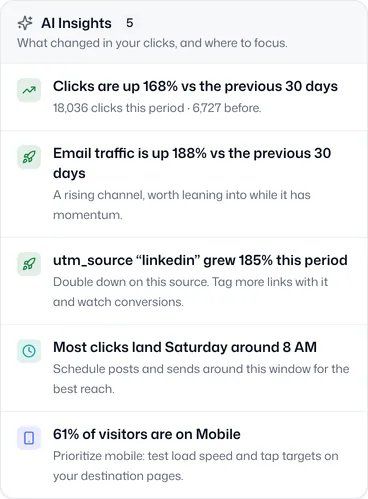
Growth insights surface notable changes, such as a spike from a new source or a drop after a change, plus scheduled email digests.
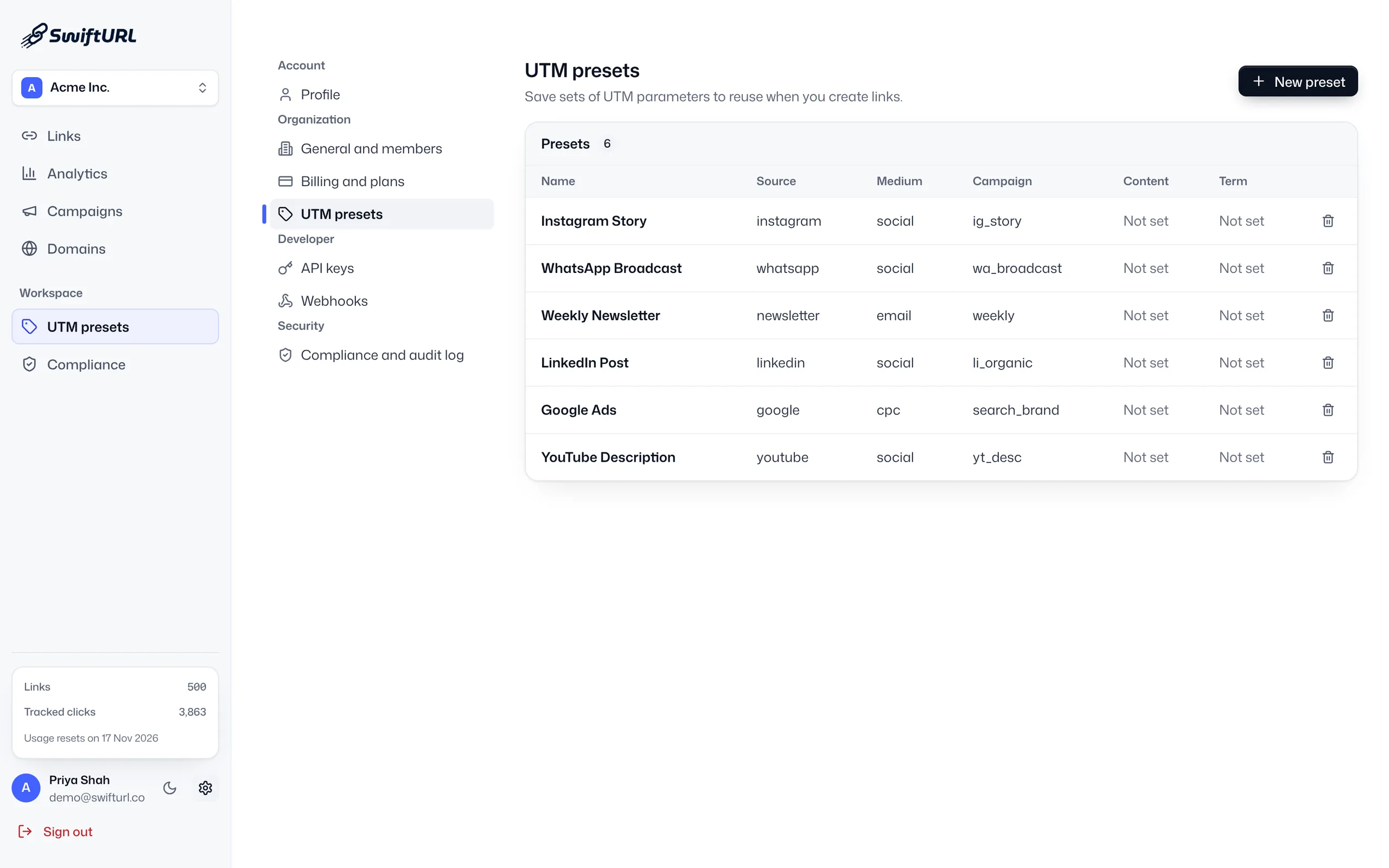
Links carry their UTM parameters into analytics, so each source, medium and campaign gets its own breakdown.
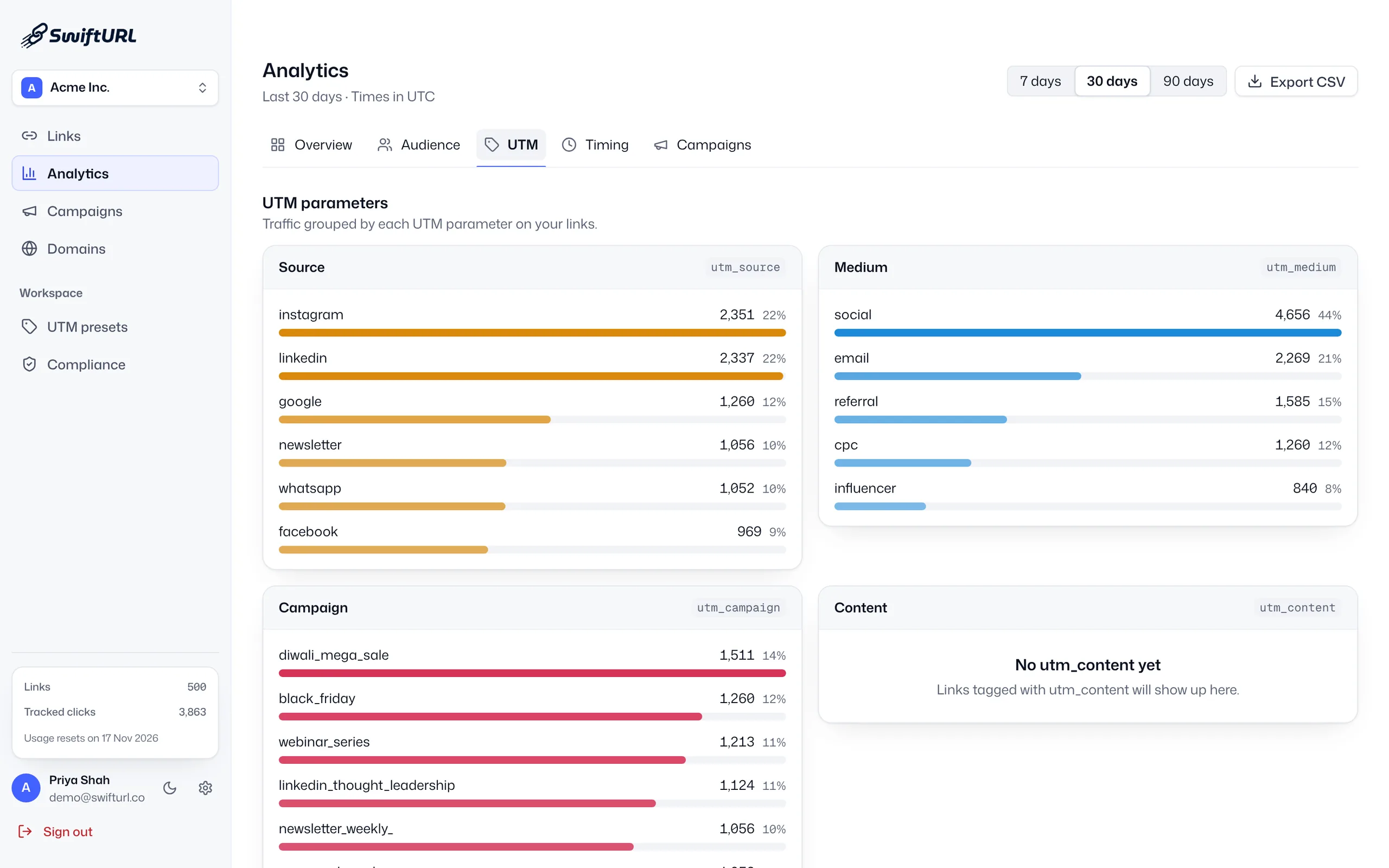
Every click is captured automatically, with no tags to place.
Bots are removed and each click is tied to a source.
Slice by geography, device, referrer, UTM, campaign and time, then export any view to CSV.
AI Insights flag what changed, and weekly or monthly digests (from Pro) reach your inbox.
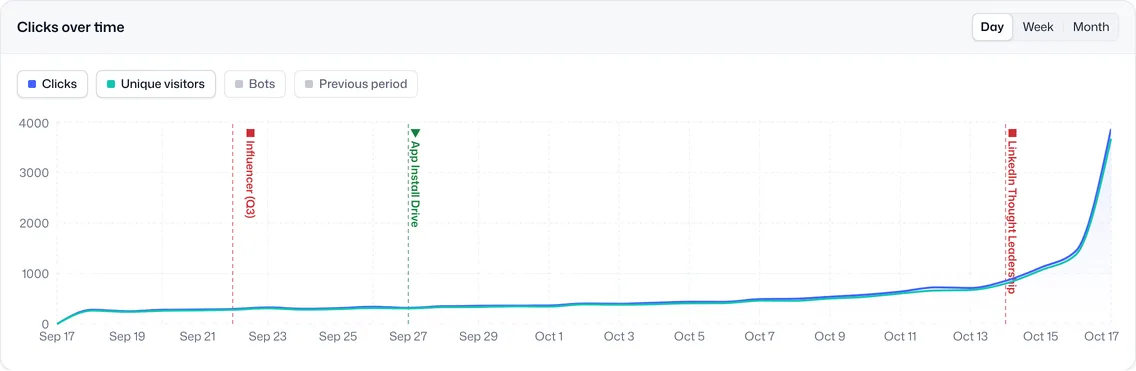
Real, bot-filtered numbers you can act on.
Timezone-correct timing shows you when to post.
Analytics are on the moment a link is created.
Clicks and unique visitors over time; country, region and city; device, browser and OS; referrer; UTM source, medium and campaign; campaign; and a best-time heatmap in your workspace timezone. Bot traffic is counted separately and kept out of the totals, and every view exports to CSV.
Yes. Clicks from bots and automated crawlers are identified and shown as bot traffic, separate from real visitors, so totals, unique visitors and every breakdown reflect people.
Free keeps 30 days of click history, Pro 1 year, Business 3 years and Enterprise 5 years or more. Export to CSV at any time if you want your own copy.
AI Insights is a panel beside the charts that highlights what changed in your click data, such as clicks up on the previous period, a source or utm_source that is growing, the busiest time to post or a shift to mobile, so you see the change without hunting through every chart.
No. SwiftURL counts each click at the short link itself, so analytics start the moment a link is created, with nothing to install on your site. UTM tags you add still reach tools like Google Analytics on the destination.
Yes. From the Pro plan, weekly or monthly email digests send a summary of your clicks to your inbox. The full dashboard, AI Insights and CSV export are on every plan.
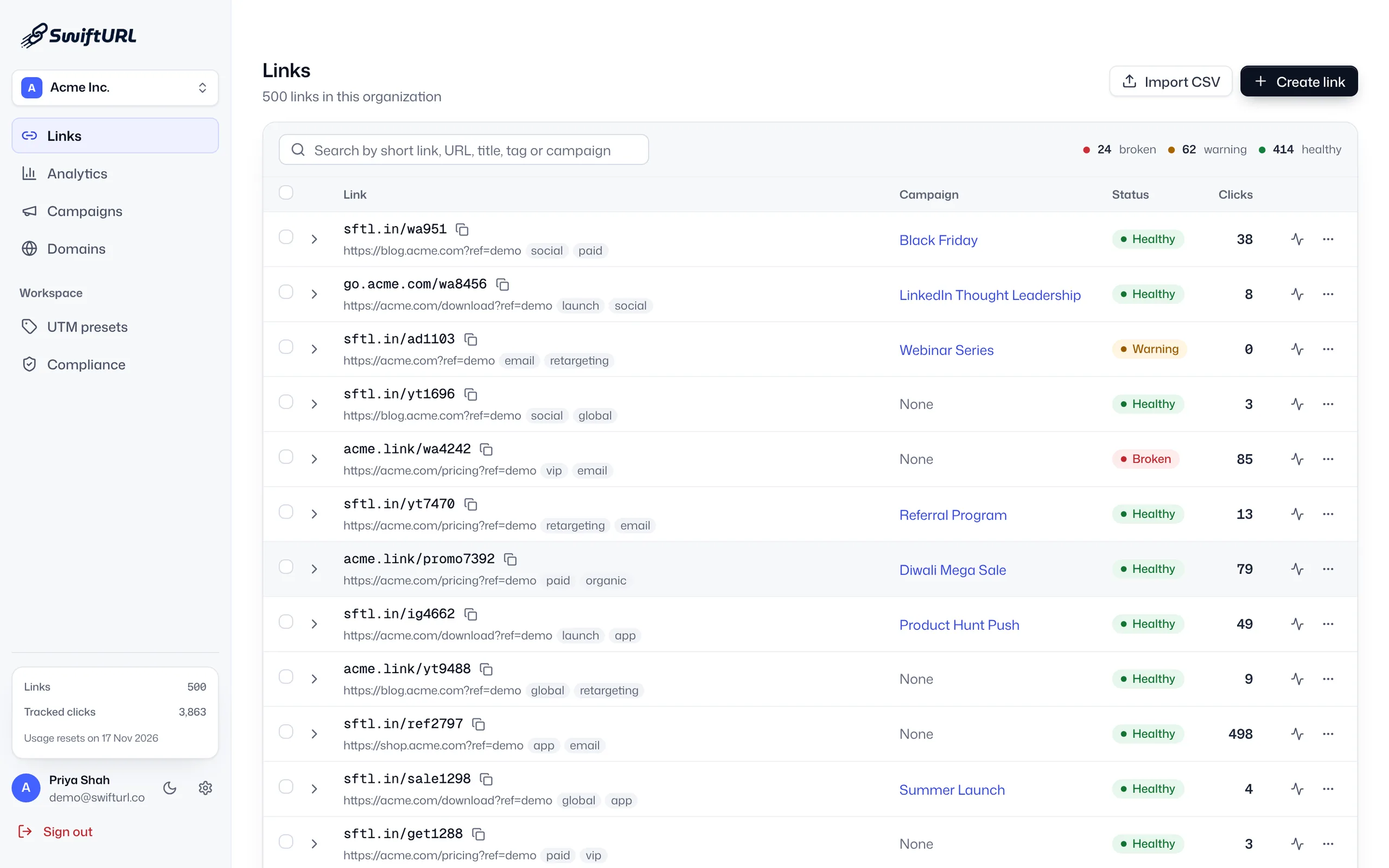
Group links into campaigns with rolled-up analytics and a clean active → ended → archived lifecycle.
Learn moreA built-in UTM builder with saved presets, so your whole team tags links the same way.
Learn moreScheduled checks and downtime alerts, so you know a destination broke before your customers do.
Learn moreStart free and get real analytics from your first click.